
For most business websites, WebP is the best image format for SEO because it gives you smaller file sizes without wrecking image quality. Use JPEG for large photos when WebP is not practical, and PNG only for logos, screenshots or images needing transparency. That’s the short webp vs jpeg seo answer.
WebP vs JPEG SEO: the plain-English answer
Google does not give you a special ranking boost just because an image ends in .webp. That would be too easy, and SEO rarely hands out free sweets.
What matters is what the format helps you achieve. Smaller images usually mean faster pages. Faster pages tend to give users a better experience. Better experience can help conversions and can support rankings, especially when your competitors have bloated, slow websites full of massive hero images called things like IMG_4729_FINAL_FINAL.jpg.
Google also needs to crawl, understand and display your images properly. Its own image SEO guidance lists WebP, JPEG and PNG among supported formats, so this is not about “Can Google read it?” It can. The better question is whether your image choice helps the page load quickly, look good and make sense to visitors.
If you run a local service business, that is the bit you should care about. Not file format snobbery. Results.
Why image format matters for SEO
Image format matters because images are often the heaviest part of a page. A plumber’s van photo, a builder’s project gallery, a restaurant menu image or a wedding photographer’s portfolio can all make a page painfully slow if nobody has compressed the files properly.
The real webp vs jpeg seo issue is whether the format helps your page load faster without making the image look like it was faxed in 1998. That balance matters more than the file extension.
Page speed is tied to user experience. If your page takes ages to load on a dodgy mobile signal, people leave. They do not lovingly wait because your business won an award in 2016. They tap back and try the next result.
Google’s Core Web Vitals measure parts of that experience, including loading performance. Images can affect Largest Contentful Paint, especially when the biggest thing above the fold is a large banner photo. They can also cause layout shifts if you forget width and height attributes.
So yes, format matters. But it matters as part of image optimisation, not as a magic ranking switch.
What WebP does well
WebP is usually the best default choice for modern websites because it compresses images well while keeping quality high enough for real humans. That is the sweet spot for most small business sites.
Google’s WebP documentation says WebP lossless images are 26% smaller than PNGs, and WebP lossy images are 25-34% smaller than comparable JPEGs at equivalent quality. You do not need to memorise those figures. The point is simple: WebP often gives you the same looking image at a lower file size.
For most small businesses, the webp vs jpeg seo benefit is simple: WebP can help reduce page weight, which can help speed, which can stop impatient visitors from buggering off before they even see your phone number.
WebP is especially useful for:
- Hero images and large banners
- Product photos
- Gallery thumbnails
- Blog images
- Service page photos
- Team photos and office images
If your website has lots of photos, WebP is normally where I would start. It gives you a practical speed win without needing to redesign the whole site.
Where JPEG still makes sense
JPEG is not dead. Anyone telling you to replace every single JPEG on your site without thinking is selling you a checklist, not advice.
JPEG is still perfectly usable for photographs, especially when your CMS, theme, email platform, supplier feed or image workflow is built around it. A well-compressed JPEG can be fine. A badly handled WebP can still look awful. Format alone does not save you from lazy image work.
The webp vs jpeg seo comparison is not a reason to bin every JPEG on your website tomorrow morning. If your existing JPEG is already small, sharp and not hurting load speed, changing it might make almost no visible difference. There are better things to fix first, like thin service pages, missing local landing pages or a Google Business Profile with three dusty reviews.
JPEG is a sensible fallback where compatibility still matters, or where older systems do not handle WebP cleanly. It is also easier for many non-technical teams to manage.
My rule is simple: use WebP where it improves speed and workflow, but do not treat JPEG like toxic waste.
Where PNG still wins
PNG has a job. It is just not usually the job people give it.
PNG is best when you need transparency, sharp edges or lossless detail. Think logos, simple graphics, screenshots, icons and interface images. For logos, SVG is often even better, but if we are comparing WebP, JPEG and PNG, PNG is the safe choice for transparent graphics.
In the webp vs jpeg seo debate, PNG often gets unfairly dragged into photo work. That is where things go wrong. A full-width photographic banner saved as PNG can be massive for no good reason. I have seen homepages slowed down by one stupidly large PNG that nobody questioned because “it looked fine on my laptop”.
Use PNG when the image needs it. Do not use it because someone exported everything from Canva and uploaded it without checking the file size.
PNG is not bad for SEO. Bloated PNG files used in the wrong place are bad for users, and that is where your SEO starts getting dragged down with it.
The bit most people get wrong: format is only one job
Image SEO is not just WebP versus JPEG versus PNG. That is the bit people obsess over because it sounds technical and therefore important. The boring bits matter just as much.
This is why the webp vs jpeg seo question should sit inside a wider image optimisation job. You need the right dimensions, sensible compression, descriptive file names, relevant alt text, lazy loading where appropriate and proper responsive image handling.
A 4,000 pixel wide WebP image shoved into a 600 pixel space is still wasteful. A tiny PNG logo with no width and height can still cause layout shift. A compressed product image with crap alt text can still be harder for Google and users to understand.
If you are dealing with slow pages, image format is one of the checks inside proper technical SEO, alongside crawl issues, broken redirects, duplicate pages, indexation problems and Core Web Vitals. Fixing images can help, but it will not rescue a website that is structurally all over the shop.
Good image SEO is boring, tidy and methodical. That is why it works.
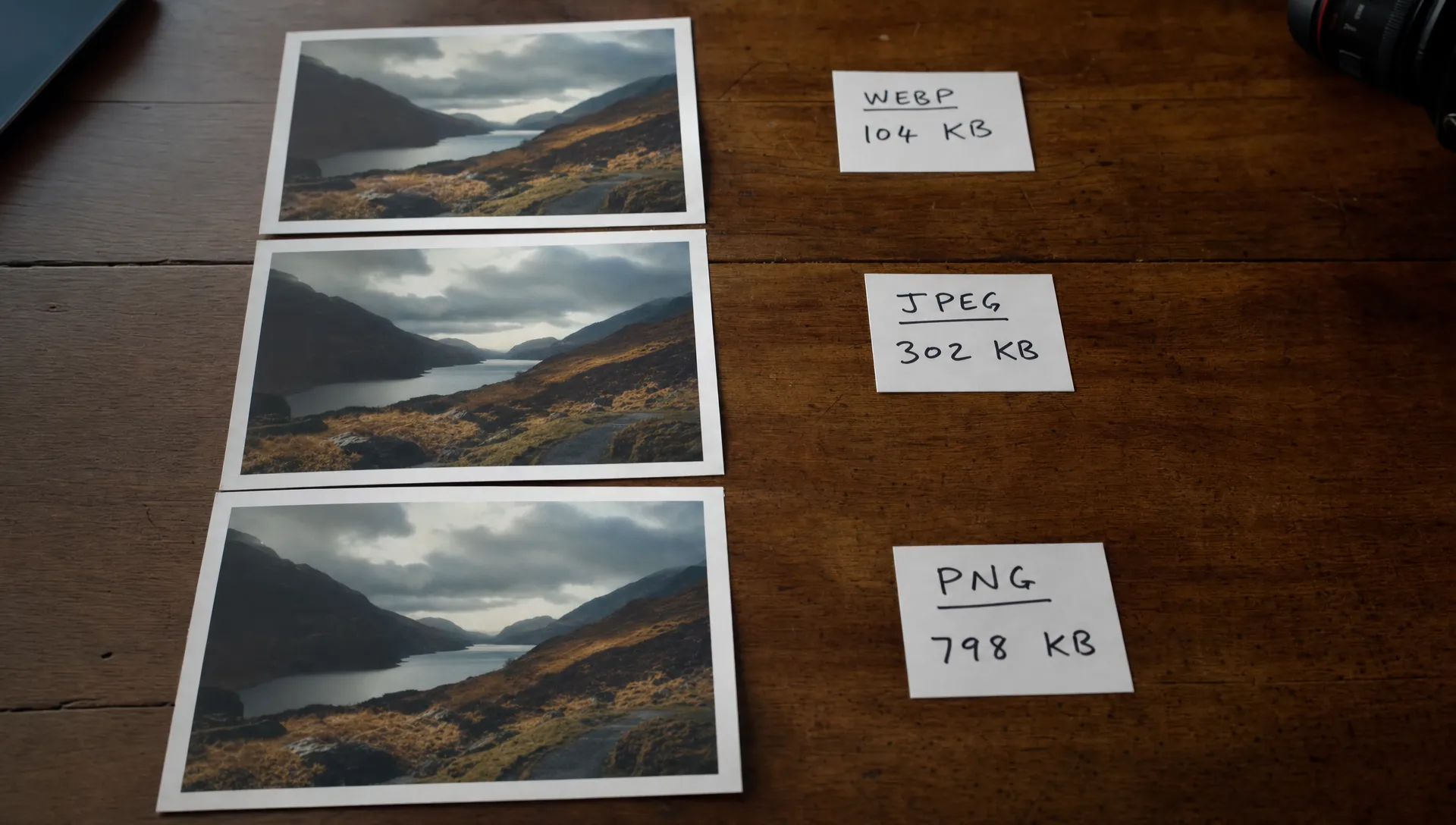
Best image format by website type
Different businesses need different image priorities. A wedding photographer needs galleries to look beautiful. A builder needs project photos to load quickly and prove trust. An e-commerce shop needs product images that are sharp, consistent and fast across category pages.
For a local service business, the webp vs jpeg seo choice is usually about speed and clarity. You need photos that show proof, load quickly on mobile and do not make your site feel cheap.
| Website type | Best default format | When to use JPEG | When to use PNG |
|---|---|---|---|
| Local service business | WebP | Older galleries or simple photo uploads | Logos, badges and screenshots |
| E-commerce website | WebP | Supplier photos or fallback images | Interface graphics and transparent assets |
| Photography website | WebP with careful quality settings | High-quality portfolio backups | Rarely, unless transparency is needed |
| Restaurant or hospitality site | WebP | Menu or venue photos already compressed well | Logos and simple graphics |
| Trades website | WebP | Existing project photos if already optimised | Accreditations, icons and proof graphics |
The table is not law. It is a sensible starting point. If an image looks poor after conversion, do not use it. SEO is not helped by making your best work look like a blurry CCTV still.
How to change formats without breaking your site
If you are changing old image libraries, treat webp vs jpeg seo as a controlled tidy-up, not a drunken Friday afternoon file replacement session.
Follow a simple process:
- Audit your largest images first: Start with homepage banners, service page photos, product images and gallery pages because they usually carry the biggest file size problems.
- Keep original files backed up: Do not overwrite everything until you know the converted images look right and work properly.
- Convert a test batch: Pick a few common image types and compare quality, file size and load speed before rolling changes across the whole site.
- Check mobile pages: A desktop preview is not enough because many customers first see your site on mobile.
- Use fallbacks if your setup needs them: Most modern browsers support WebP, but some older systems, apps or third-party tools may still expect JPEG or PNG.
- Retest important pages: Use PageSpeed Insights, Search Console and your own eyes because tools do not always understand whether an image looks trustworthy.
If your site runs on WordPress, plugins can help with conversion and compression, but they can also create duplicate files, odd caching issues or broken image paths if badly configured. That is one reason proper WordPress SEO includes technical housekeeping, not just titles and keywords.
SEO checks after you compress images
After you make the switch, the webp vs jpeg seo work is not finished. You need to check whether the change actually improved the page, not just whether a tool gave you a happier coloured score.
Start with your most valuable pages. For a local business, that usually means your homepage, main service pages, location pages and contact page. For e-commerce, it means category pages, product pages and collection pages.
Check these things:
- File size before and after compression
- Visual quality on desktop and mobile
- Largest Contentful Paint in PageSpeed Insights
- Whether images still appear in the browser properly
- Whether important images have useful alt text
- Whether image URLs changed and caused broken links
- Whether lazy loading is hurting above-the-fold images
Do not lazy load the main hero image if it is needed immediately. That can delay the biggest visible element and make performance worse. This is one of those annoying SEO jobs where the correct answer is “it depends”, which is true but deeply irritating.
For businesses chasing local leads, image speed also sits alongside reviews, location pages and Google Business Profile work. If that is where you are struggling, proper local SEO will usually matter more than squeezing another 3KB out of a thumbnail.
When not to bother converting everything
There is a point where image optimisation becomes busywork. If an image is already tiny, loads quickly and looks good, converting it might not be worth your time.
The webp vs jpeg seo conversation can become a distraction when your website has bigger problems. If your service pages have 120 words of vague waffle, no proof, no reviews, no location relevance and no clear enquiry route, image format is not the main reason you are not getting leads.
Do not spend six hours converting small icons while your main “bathroom fitter Cheshire” page says nothing useful. That is SEO procrastination dressed up as technical work.
Focus on images that affect real pages and real visitors. Large banners. Product grids. Project galleries. Portfolio pages. Blog posts with massive stock photos. Anything users need to see before they trust you enough to call.
A neat technical fix is nice. A faster page that also says something useful is better.
My practical recommendation
My honest webp vs jpeg seo recommendation is this: use WebP as your default for most website photos, keep JPEG as a practical fallback and use PNG only when you need transparency or crisp lossless graphics.
That will be right for most small business websites in the UK. It is not trendy. It is just sensible.
But do not stop at conversion. Resize the image properly before upload. Compress it at a level that still looks good. Name the file sensibly. Add alt text when it helps explain the image. Set width and height. Test the page after you make changes.
The best format for SEO is the one that lets the page load quickly, look professional and help the visitor take the next step. If WebP does that, use WebP. If a compressed JPEG does the job, do not lose sleep. If PNG is the right tool for a logo or screenshot, use PNG and move on.
SEO is full of tiny details. The trick is knowing which ones deserve your time and which ones are just shiny distractions.
Frequently Asked Questions
Is WebP better than JPEG for SEO? Yes, usually. WebP often gives you smaller file sizes than JPEG while keeping similar visual quality, which can help page speed. But Google does not rank a page higher just because the image is WebP. The benefit comes from faster loading, cleaner performance and a better user experience.
Can Google index WebP images? Yes. Google supports WebP, JPEG and PNG in image search, provided the images are crawlable and used properly on the page. Make sure important images are not blocked, have sensible surrounding context and use helpful alt text where needed. Format is only one part of image SEO.
Should I convert all PNG images to WebP? No. Convert large photographic PNGs if they are slowing pages down, but keep PNG where transparency or sharp lossless detail is needed. Logos, screenshots and some interface graphics may still work best as PNG. The goal is not to convert everything. The goal is to make the page faster without making it look worse.
What is the best image format for a small business website? WebP is the best default for most small business website photos because it usually keeps quality high and file size low. Use JPEG where your system needs it or the image is already well compressed. Use PNG for logos, badges, screenshots and transparent graphics. Always test speed and quality after changing formats.
