
WordPress powers 43% of the web — and most WordPress sites have the same fixable SEO problems. Speed, duplicate content, misconfigured plugins, broken schema and poor crawlability. We know exactly where to look and exactly how to fix it. From £250/month, no contracts.

WordPress makes it easy to build a website. It also makes it easy to accidentally create hundreds of duplicate URLs, slow load times, broken schema, misconfigured crawl settings and a sitemap full of pages Google should never see.
A general SEO agency will optimise your titles and meta descriptions. A WordPress SEO specialist will find the category pages accidentally set to index, the author archives generating duplicate content, the page builder outputting bloated HTML that tanks your Core Web Vitals, and the caching plugin configured incorrectly because nobody read the documentation.
We have been working with WordPress sites for over a decade — including the Crave Coffee project that delivered +156% organic traffic. We know where the problems hide and how to fix them properly. According to Google’s own guidance, duplicate content and poor crawl management are among the most common technical issues affecting site performance in search.
This work complements your technical SEO and local SEO strategy — fixing the WordPress-specific issues that hold back everything else.
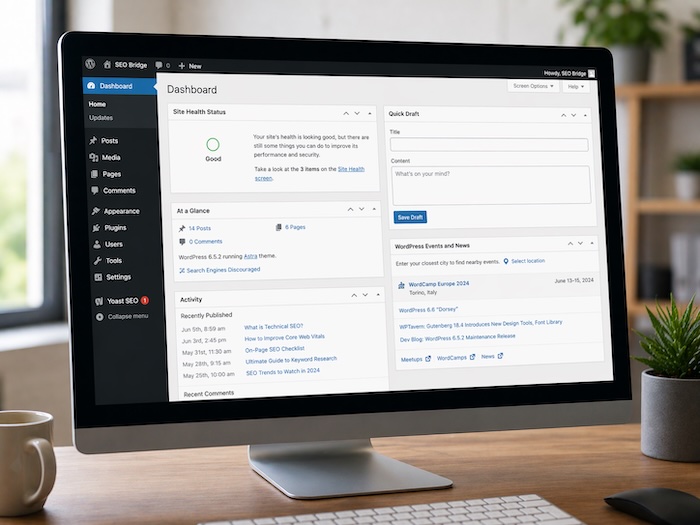
A complete WordPress SEO service covering every layer — from the code that Google crawls to the content your customers read.
A thorough crawl of your WordPress site identifying every technical issue affecting rankings — duplicate content, indexing problems, crawl errors, broken links, redirect chains, sitemap issues and structural problems. Delivered with a clear priority-ordered action plan.
View SEO audit service →Site speed is a confirmed ranking factor and WordPress sites are notorious for slowing down over time. We diagnose and fix image optimisation, caching, plugin conflicts, render-blocking resources, database bloat and hosting configuration to improve your Core Web Vitals scores.
View technical SEO service →WordPress schema markup is only as good as its configuration. We implement and validate schema for LocalBusiness, Service, Article, FAQ, BreadcrumbList and any other types relevant to your site — going well beyond what Yoast or RankMath output by default.
Yoast SEO and RankMath are powerful tools that most WordPress sites use at default settings. Default is rarely optimal. We configure your chosen plugin correctly — titles, meta descriptions, canonical tags, sitemap settings, schema output and social metadata — for your specific site and goals.
Title tags, meta descriptions, heading structure, keyword placement, internal linking, image alt text and content quality — all reviewed and optimised across your key pages. We focus on pages with the highest commercial value first to deliver measurable results quickly.
View onsite optimisation →WooCommerce adds complexity that requires specialist attention — product schema and rich results, category page optimisation, faceted navigation and crawl budget management, duplicate product content and the technical challenges of large product catalogues.
After auditing hundreds of WordPress sites, the same problems appear again and again. Most business owners have no idea they exist. Most cost nothing to fix once identified — they just require someone who knows where to look.
The frustrating thing about these issues is that they cancel out good work done elsewhere. You can publish excellent content, build links and optimise your pages — but if Google is wasting crawl budget on hundreds of thin tag archive pages, or if your category pages are generating duplicate title tags, you are fighting with one hand tied behind your back.
This is why WordPress SEO requires someone who understands how the platform actually works — not just how to fill in the fields in a plugin.
Category, tag, author and date archive pages generate near-duplicate content that confuses Google and wastes crawl budget. Most WordPress sites have hundreds of these indexed without realising it.
Out of the box, SEO plugins are configured for the average site. Your site is not average. Incorrect canonical settings, sitemap inclusions and schema outputs require proper configuration for your specific setup.
Elementor, Divi, WPBakery and similar builders output significant extra CSS and JavaScript. On many sites this is the primary cause of poor LCP and CLS scores — which directly affect rankings.
Uncompressed images uploaded directly from a phone or camera are one of the single biggest causes of slow WordPress sites. Missing alt text means Google cannot understand image content and you lose image search visibility.
WordPress makes it easy to create pages that are never linked from anywhere. Pages with no internal links receive little authority, rarely rank and are often missed by Google entirely.
Most WordPress sites have either no schema markup or only what the SEO plugin outputs by default. Missing LocalBusiness, Service, FAQ and Article schema are missed opportunities for rich results and entity understanding.
This is one of the most common questions we get from WordPress site owners. The honest answer is that both are good — and the configuration matters far more than the choice. But there are meaningful differences worth knowing.
We work with both every day and configure either to a high standard. If you are starting fresh and want maximum control at no cost, RankMath free is currently more generous with schema options. If you are already on Yoast and it is properly configured, there is rarely a good reason to switch just for the sake of it.
What we will always tell you: whichever plugin you use, the default settings are not enough. Proper configuration for your specific site, your business type and your SEO goals is where the real value comes from.
Core Web Vitals are Google’s measure of real-world page experience — how fast your page loads, how stable the layout is and how quickly it responds to user interaction. They are confirmed ranking signals. WordPress sites frequently fail on all three.
Most WordPress speed issues are fixable without changing your hosting or your theme. Proper image compression, caching configuration, removing unused plugins and scripts, deferring non-critical JavaScript and optimising your database can transform a slow WordPress site without requiring a rebuild.
We use PageSpeed Insights, GTmetrix and Google Search Console to benchmark your current performance, identify the specific issues causing poor scores and implement fixes in priority order. Every fix is validated before and after to confirm the improvement.
Uncompressed images are the most common cause of slow WordPress sites. Correct formats (WebP where supported), compression and lazy loading can typically reduce page weight by 40–70%.
A properly configured caching plugin dramatically reduces server load and page delivery time. WP Rocket, W3 Total Cache and LiteSpeed Cache all require site-specific configuration to work correctly.
Every active WordPress plugin loads code on every page load. Unused, outdated or poorly coded plugins are a primary cause of bloat and slow response times. We audit and rationalise your plugin stack.
CSS and JavaScript files that load before the page renders increase time to first contentful paint. Deferring and async-loading non-critical scripts is one of the highest-impact speed improvements available.
WordPress databases accumulate post revisions, transients and spam comments over time. A bloated database slows query times. Regular cleanup and optimisation maintains performance as the site grows.
Shared hosting with inadequate resources is a ceiling on WordPress performance that no amount of optimisation can overcome. We advise on whether a hosting upgrade is warranted and what to look for.
This is our standard WordPress SEO audit framework. Most sites we review are missing items from every section — each one is a fixable gap between where your site is and where it could be.
Numbers from actual client campaigns managed by SEO Bridge. See full case studies →
Do I need a WordPress SEO specialist?
WordPress has specific technical characteristics that a general SEO agency may not fully understand. Plugin interactions, archive page duplication, theme code quality, database performance and Core Web Vitals issues are all WordPress-specific problems that need hands-on platform experience to diagnose correctly.
Which is better for SEO — Yoast or RankMath?
Both are capable and the choice matters less than the configuration. RankMath free currently offers more schema control at no cost and is our recommendation for new installs. If you are already on Yoast and it is properly set up, there is rarely a compelling reason to switch. We configure both to a high standard.
Why is my WordPress site slow?
WordPress sites slow down for predictable reasons: unoptimised images, too many plugins, poorly coded themes, unconfigured caching, database bloat and shared hosting with insufficient resources. Most are fixable without changing your theme or host. We identify the highest-impact issues and fix them in priority order.
What are Core Web Vitals and do they affect rankings?
Core Web Vitals are Google’s three page experience metrics — Largest Contentful Paint (LCP), Interaction to Next Paint (INP) and Cumulative Layout Shift (CLS). They are confirmed Google ranking signals. WordPress sites frequently fail on all three due to image issues, page builder bloat and misconfigured caching.
Can you help with WooCommerce SEO?
Yes — WooCommerce adds specific SEO complexity including product schema, category page optimisation, faceted navigation and crawl budget management. We handle WooCommerce SEO as part of our WordPress SEO service. Get in touch to discuss your specific setup.
How long does WordPress SEO take to show results?
Technical fixes can show ranking improvements within 4 to 8 weeks once Google recrawls the affected pages. Speed improvements can show impact faster still. Content-led improvements typically take 3 to 6 months to compound. We provide monthly reports so you can track exactly what is moving and why.
Does my WordPress theme affect SEO?
Significantly. A poorly coded theme introduces duplicate content, bloated HTML, slow load times, broken heading structure, missing schema and crawlability issues that no amount of plugin configuration can fully fix. We audit theme code as part of every engagement and advise honestly on whether a theme change is warranted.
How much does WordPress SEO cost?
Our WordPress SEO packages start from £250 per month with no setup fees and no long-term contracts. A standalone WordPress SEO audit is also available without committing to ongoing work. Request a free review and we will tell you what needs fixing on your site.
Get a free, no-obligation WordPress SEO review from Matt Warren. A real audit of your site by a real specialist — not an automated report — with honest recommendations and no pressure to proceed.
We will respond as soon as possible — or schedule a call at a time that suits you.